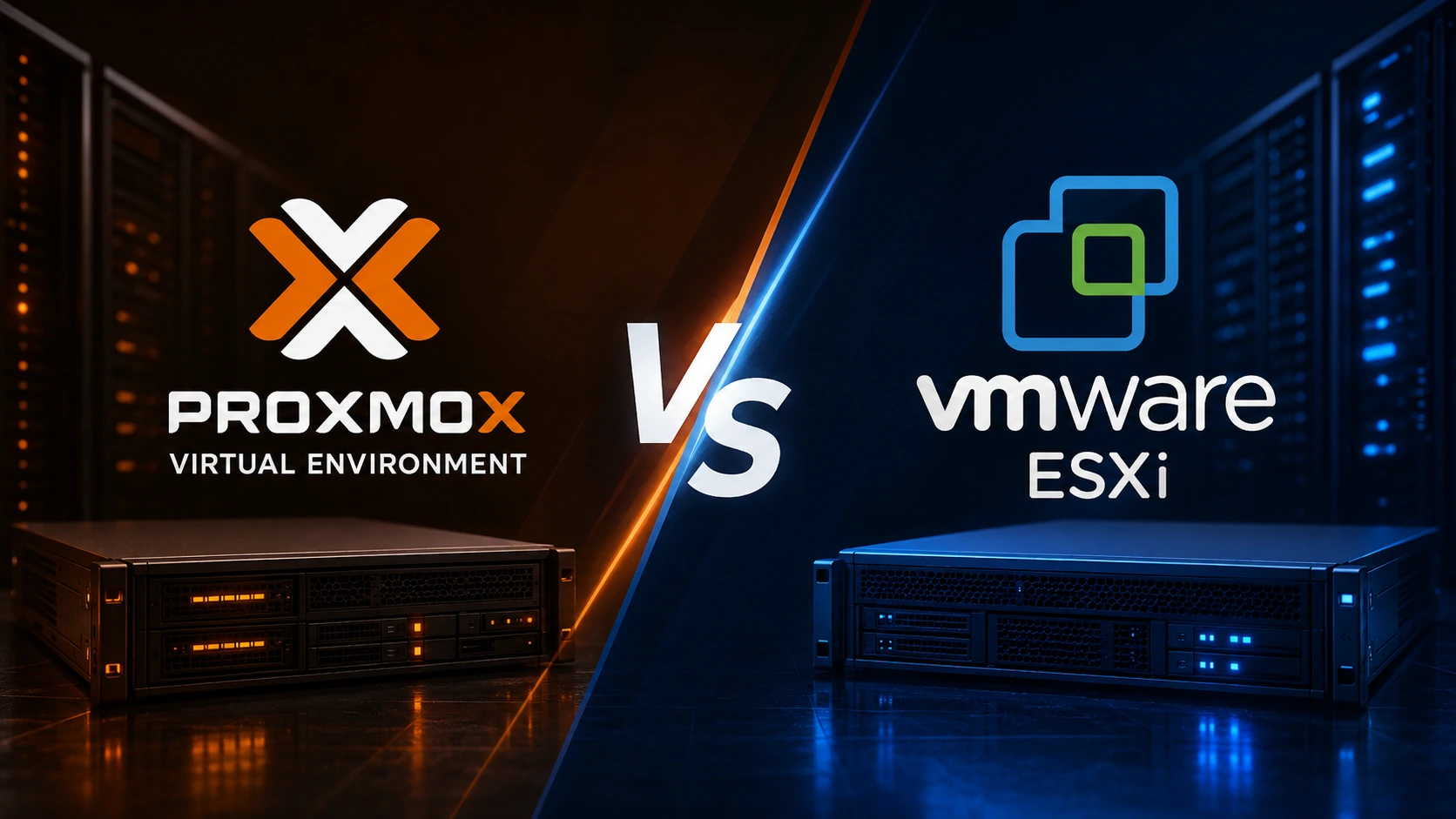
Whether you're provisioning your first dedicated server or scaling a multi-node infrastructure, choosing the right hypervisor is one of the most consequential decisions you'll make. In 2026, the battle between Proxmox VE and VMware ESXi is sharper and more relevant than ever before.
Why Hypervisor Choice Matters for Dedicated Servers
When you rent or own a dedicated server, the operating system and hypervisor layer determine everything below your workloads from raw CPU scheduling and memory allocation to storage I/O, network throughput, and disaster recovery.
Unlike shared hosting or VPS environments, a dedicated server gives you complete control over the physical hardware. That makes the hypervisor selection not just a software preference — it's a foundational infrastructure decision that affects:
-
Resource efficiency across virtual machines (VMs) and containers
-
Operational costs over a 3–5 year server lifecycle
-
Security posture and regulatory compliance
-
Scalability as your workloads grow
-
Vendor dependency and long-term flexibility
In 2026, two hypervisors dominate the bare-metal server virtualization space: Proxmox Virtual Environment (VE) and VMware ESXi (now part of Broadcom's product portfolio). Both are Type-1 hypervisors, meaning they run directly on hardware without a host OS underneath but they serve different philosophies, budgets, and use cases.
Let's break them down.
What Is Proxmox VE?
Proxmox Virtual Environment is a free, open-source server virtualization platform built on Debian Linux. Developed by Proxmox Server Solutions GmbH, it combines two industry-standard technologies under a single web-based management interface:
-
KVM (Kernel-based Virtual Machine) for full virtual machine virtualization
-
LXC (Linux Containers) for lightweight, OS-level container virtualization
Key Highlights of Proxmox VE
-
100% open-source with an enterprise subscription tier available for additional support and stable repositories
-
Unified web UI for managing VMs, containers, storage, and cluster nodes
-
Built-in high availability (HA) clustering with no additional license required
-
Native support for Ceph distributed storage and ZFS file systems
-
Active global community with frequent release cycles
-
No per-socket or per-VM licensing fees
Proxmox VE has seen explosive adoption since VMware's acquisition by Broadcom disrupted the market with aggressive licensing restructuring. For dedicated server operators, from independent system administrators to managed hosting providers, Proxmox has become the go-to alternative.
What Is VMware ESXi?
VMware ESXi is the enterprise-grade bare-metal hypervisor from VMware, which Broadcom acquired in 2023. ESXi has been the gold standard in enterprise virtualization for over two decades, forming the foundation of VMware vSphere, one of the most widely deployed private cloud platforms in the world.
Key Highlights of VMware ESXi
-
Mature, battle-tested hypervisor with an extensive enterprise ecosystem
-
Integration with VMware vCenter for centralized multi-host management
-
Advanced features like vMotion (live VM migration), DRS (Distributed Resource Scheduler), and HA
-
Deep hardware compatibility with certified server vendors (Dell, HPE, Lenovo, Supermicro)
-
Strong ISV ecosystem, most enterprise software is certified on VMware infrastructure
-
Enterprise support backed by Broadcom's global service network
However, 2024 and 2025 brought significant changes. Broadcom ended perpetual licensing for ESXi, eliminated the free ESXi tier, and moved to a subscription-only model bundled under VMware vSphere Foundation and VMware Cloud Foundation packages. This pricing shift fundamentally changed the economics for small- to midsize dedicated server operators.
Proxmox VE vs VMware ESXi: Head-to-Head Comparison
| Feature | Proxmox VE 8.x | VMware ESXi (vSphere 8.x) |
|---|---|---|
| License Model | Open-source (free) + optional paid subscription | Subscription-only (Broadcom) |
| Base Cost | $0 (community) / ~$110/year per socket (enterprise) | Starts at ~$200–$400+/socket/year (vSphere Foundation) |
| VM Technology | KVM | VMware's proprietary hypervisor |
| Container Support | Yes, native LXC containers | No native containers (requires separate tools) |
| Web UI | Built-in, feature-rich | Requires vCenter for full features |
| Clustering & HA | Built-in, no extra cost | vCenter required (additional license) |
| Live Migration | Yes, VM and container migration | Yes, vMotion (vCenter required) |
| Storage Options | ZFS, Ceph, LVM, NFS, iSCSI, Ceph RBD | VMFS, NFS, iSCSI, vSAN (additional cost) |
| Hardware Compatibility | Broad (Linux kernel-based) | HCL-restricted but very deep |
| Community Support | Very active open-source community | Broadcom support (paid tiers) |
| Enterprise Ecosystem | Growing rapidly | Extensive, mature |
| API / Automation | REST API, Terraform provider, Ansible | REST API, PowerCLI, Terraform |
| Backup Solution | Proxmox Backup Server (free, open-source) | Veeam, Veritas, etc. (third-party costs) |
Performance on Bare-Metal Dedicated Servers
When it comes to raw virtualization performance on a dedicated server, both hypervisors perform remarkably well on modern hardware. The real-world differences lie in specific workload types and configuration depth.
CPU Virtualization
Proxmox VE uses the Linux KVM module, which leverages hardware virtualization extensions (Intel VT-x / AMD-V) natively. On dedicated servers running modern AMD EPYC or Intel Xeon processors, KVM-based VMs consistently achieve near-native CPU performance.
VMware ESXi's proprietary CPU scheduler is highly optimized for multi-tenant, multi-VM environments, particularly in vSphere deployments with DRS handling automated resource balancing. However, for single-node dedicated server deployments, this advantage is minimal.
Verdict: For single dedicated server deployments, both are effectively equivalent in CPU performance. VMware may edge ahead in very large vSphere clusters with hundreds of VMs.
Memory Management
Proxmox uses KVM's memory ballooning and KSM (Kernel Same-page Merging) for memory deduplication. VMware ESXi offers TPS (Transparent Page Sharing), memory ballooning, and swap-to-host, mature memory overcommitment techniques developed over two decades.
Verdict: VMware ESXi has a slight advantage in memory overcommitment efficiency on large dedicated server clusters. Proxmox is fully capable for most workloads.
Storage I/O
Proxmox's native ZFS support is a game-changer for dedicated servers. ZFS brings copy-on-write snapshots, built-in RAID-Z, data integrity checksumming, and ARC caching, directly at the storage layer. No additional software or cost required.
VMware's VMFS and vSAN are enterprise-grade, but vSAN requires additional licensing, and VMFS lacks ZFS's data integrity guarantees without a separate storage appliance.
Verdict: Proxmox VE with ZFS offers superior storage functionality at zero additional cost for dedicated server operators who prioritize data integrity.
Network Throughput
Both hypervisors support software-defined networking with VLAN tagging, bonding, and bridging. VMware's vSphere Distributed Switch (VDS) is more sophisticated for large multi-host environments. Proxmox's Linux bridge and Open vSwitch integration are enterprise-capable for most dedicated server use cases.
Licensing and Total Cost of Ownership
This is where the 2026 landscape has shifted dramatically, and where Proxmox VE offers a compelling cost advantage for dedicated server operators.
Proxmox VE Cost Breakdown
| Tier | Cost | What You Get |
|---|---|---|
| Community Edition | Free | Full features, community forum support |
| Basic Subscription | ~$110/socket/year | Enterprise repos, 3 tickets/year |
| Standard Subscription | ~$220/socket/year | 10 tickets/year, next business day response |
| Premium Subscription | ~$440/socket/year | Unlimited tickets, 1-hour response |
A fully supported Proxmox cluster on a 2-socket dedicated server costs roughly $220–$880/year total at the enterprise tier. The community edition costs nothing.
VMware ESXi / vSphere Cost Breakdown
Following Broadcom's acquisition, VMware moved to subscription-only bundles:
-
VMware vSphere Foundation (VVF): ~$200+ per core per year (minimum 16 cores per processor)
-
VMware Cloud Foundation (VCF): ~$400+ per core per year
A 2-socket server with 32 cores per socket could cost $25,000–$50,000+/year under Broadcom's pricing model.
Even smaller deployments on entry-level dedicated servers face a minimum commitment that makes ESXi economically unviable for many operators.
For most dedicated server operators, especially those managing one to twenty physical nodes, Proxmox VE delivers equal or superior functionality at a fraction of the cost.
Security, Compliance, and Enterprise Readiness
Proxmox VE Security
-
Built on Debian Linux with a minimal attack surface
-
Regular CVE patching through both community and enterprise repositories
-
Role-based access control (RBAC) with fine-grained permissions
-
Supports two-factor authentication (2FA) natively
-
TLS-encrypted web interface and API
-
Firewall rules are configurable at the cluster, node, and VM/container level
-
Growing adoption in regulated industries, including finance and healthcare
VMware ESXi Security
-
Purpose-built hypervisor with decades of security hardening
-
Secure Boot, TPM 2.0 integration, and encrypted VMs
-
VMware Carbon Black integration for threat detection
-
NSX for microsegmentation and zero-trust networking
-
Extensive compliance certifications (FIPS 140-2, Common Criteria, etc.)
-
More frequent CVE disclosures, but rapid patching cycles
For Compliance-Heavy Environments
If your dedicated server workloads require specific certifications (PCI-DSS, HIPAA, FedRAMP), VMware's compliance documentation and audit trail tooling remain more mature. However, Proxmox is closing the gap with enterprise subscriptions that include formal support documentation.
Virtualization Features: Containers, VMs, and Clustering
Container Virtualization
This is a clear differentiator. Proxmox VE natively supports LXC containers alongside KVM virtual machines, from the same web interface. Containers share the host kernel, consuming dramatically fewer resources than full VMs. A single dedicated server running Proxmox can host dozens of containers and several VMs simultaneously, optimizing hardware utilization.
VMware ESXi does not natively support containers. You'd need to deploy a VM running Docker or Kubernetes inside ESXi, adding overhead and complexity.
High Availability Clustering
Proxmox VE includes built-in HA clustering at no additional cost. Add nodes to a cluster, configure fencing (using IPMI/iDRAC on your dedicated servers), and Proxmox automatically restarts VMs on surviving nodes if a node fails.
VMware requires vCenter Server, an additional licensed product, to enable HA, DRS, and vMotion. On a per-dedicated-server basis, this represents significant added cost.
Live Migration
Proxmox: Supports live migration of VMs and containers between nodes with shared or replicated storage. Also supports offline migration between standalone dedicated servers.
VMware: vMotion enables live VM migration with zero downtime, but requires vCenter and shared storage (NFS, iSCSI, or vSAN).
Storage and Networking Capabilities
Proxmox Storage Stack
Proxmox VE supports a comprehensive set of storage backends ideal for dedicated server deployments:
-
ZFS - local, with RAID-Z, snapshots, and compression (ideal for dedicated servers without a SAN)
-
LVM and LVM-thin - efficient local storage with thin provisioning
-
Ceph RBD - distributed block storage for clusters (built-in Ceph installer)
-
CephFS - distributed shared file system for containers
-
NFS / CIFS - network-attached storage integration
-
iSCSI / FC - SAN connectivity for enterprise environments
-
Proxmox Backup Server (PBS) - a separate open-source backup appliance tightly integrated with Proxmox VE
VMware Storage Stack
-
VMFS - VMware's proprietary clustered file system
-
vSAN - VMware's hyperconverged storage solution (requires additional licensing)
-
NFS / iSCSI / FC - standard storage protocol support
-
vVols (Virtual Volumes) - integration with storage vendor APIs
For dedicated server operators without access to shared enterprise SAN hardware, Proxmox's ZFS and Ceph stack is significantly more practical and cost-effective than VMware's vSAN-dependent model.
Networking
Both hypervisors support VLANs, bonding, and bridged networking. Proxmox's Open vSwitch integration enables advanced SDN features. VMware NSX delivers the most sophisticated network virtualization in the industry, but at enterprise pricing that most dedicated server operators cannot justify.
Which Hypervisor Should You Choose?
Use this decision guide based on your specific scenario:
Choose Proxmox VE if you:
-
Operate one to fifty dedicated servers and want maximum control without vendor lock-in
-
Need LXC container support alongside VM workloads on the same hardware
-
Are you a managed hosting provider, developer, or SMB optimizing infrastructure costs
-
Want ZFS storage with native data integrity protection at no extra cost
-
Run mixed Linux-heavy workloads (web servers, databases, CI/CD pipelines, dev environments)
-
Are currently on VMware and evaluating a migration away from Broadcom's pricing
-
Value an active open-source community and transparent development roadmap
-
Operate a homelab, colocation environment, or small data center
Choose VMware ESXi / vSphere if you:
-
Run a large enterprise environment already deeply integrated with the VMware ecosystem
-
Require ISV-certified infrastructure for legacy enterprise applications
-
Have compliance requirements that specifically mandate VMware certification
-
Operate a multi-thousand VM environment where vSphere DRS and vMotion are critical
-
Have existing Broadcom enterprise agreements with favorable pricing
-
Run workloads on Windows Server with Hyper-V alternatives not practical
The Migration Trend in 2026
Industry data shows a significant migration wave from VMware ESXi to Proxmox VE since 2023–2024, driven by Broadcom's pricing changes. Independent dedicated server operators, managed hosting companies, and even mid-market enterprises are actively re-platforming to Proxmox. Tools like Proxmox's built-in import wizard and open-source VM conversion utilities have made ESXi-to-Proxmox migration more accessible than ever.
Final Verdict
After evaluating both platforms across performance, cost, features, security, and 2026 market realities, here is our assessment:
For dedicated server operators, Proxmox VE is the superior choice in the vast majority of scenarios.
It delivers enterprise-grade virtualization, including HA clustering, live migration, ZFS storage, LXC containers, and REST API automation, at a cost structure that respects the economics of dedicated server infrastructure. Its open-source foundation means no forced upgrades, no license audits, and no vendor lock-in.
VMware ESXi remains the right answer for large enterprises already invested in the vSphere ecosystem who can absorb Broadcom's licensing model, or for specific compliance scenarios where VMware certification is a hard requirement.
The bottom line: if you're standing up a new dedicated server environment today, or looking to cut infrastructure costs without sacrificing capability, Proxmox VE is the hypervisor to deploy in 2026.
Frequently Asked Questions
Q: Can Proxmox VE run Windows virtual machines?
Yes. Proxmox VE uses KVM, which fully supports Windows Server and Windows desktop guest operating systems, including Windows 11 and Windows Server 2022/2025.
Q: Is Proxmox VE really free for production use?
Yes. The community edition is completely free for production environments. The paid subscription tiers add access to enterprise-tested stable repositories and professional support, not additional features.
Q: What happened to the free VMware ESXi hypervisor?
Broadcom discontinued the free ESXi tier in early 2024. All ESXi deployments now require a paid vSphere subscription, which significantly increases costs for small and mid-size operators.
Q: Can I migrate VMs from VMware ESXi to Proxmox?
Yes. Proxmox VE 8.x includes an import wizard that supports OVF/OVA files exported from ESXi. Third-party tools like virt-v2v also support direct VMDK-to-qcow2 conversion.
Q: Does Proxmox support GPU passthrough for dedicated servers?
Yes. Proxmox VE supports PCIe passthrough, including GPU passthrough for NVIDIA and AMD graphics cards, enabling bare-metal GPU performance inside virtual machines, ideal for AI/ML or rendering workloads.
Q: Which hypervisor is better for a colocation server?
Proxmox VE is generally preferred for colocation environments due to zero licensing costs, remote management through its web UI and API, IPMI/iDRAC compatibility for out-of-band access, and flexible storage options that don't require SAN hardware.
About COLO BIRD
COLO BIRD is a dedicated server resource hub helping businesses, developers, and infrastructure teams make smarter decisions about bare-metal hosting, colocation, and server virtualization. From hypervisor comparisons to dedicated server provider reviews, we publish in-depth, practitioner-focused content to help you build better infrastructure.
Looking for the right dedicated server for your Proxmox or ESXi deployment? Explore our dedicated server guides and colocation provider comparisons to find the best hardware for your workload.
 Explore Our Global Dedicated Server Locations
 Your Voice Matters: Share Your Thoughts Below!
 Recent Topics for you